XLPlot
5.82
for MS-Windows. bram.org/xlplot.xlplot.php
A simple way to create your graph.

XLPlot is a program to create graphs for MS-Windows 2000 and up. Support for w98 and earlier has been discontinued.
XLPlot accepts ASCII data on a spreadsheet and it outputs a vector drawing. Download now.
(contextual) Help is provided in HTML.
Browse the online manual.

XLPlot est disponible en Français.
The primary purpose of XLPlot is to create a figure rapidly. It is ideal for for use at high school, as the path from data in one or more spreadsheet columns to the final figure is short (just a few mouse clicks) and easy to grasp.
It contains basic statistical functions, such as Student's t-test and linear correlation of two sets of data (two columns in a spreadsheet). XLPlot has a number of build-in functions that can be fitted to the data in columns on a spreadsheet or to a curve in a graph. The user can easily add fitting functions of his own design.
XLPlot is the eXtra-Light version of programs in the Serf Software Suite, a set of programs more specifically meant for biologists. Items in the drawing sheet and the spreadsheet may communicate such that a modification in a column in a spreadsheet results in a change in the associated vector graph, allowing easy editing.
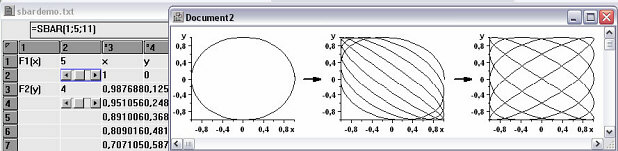
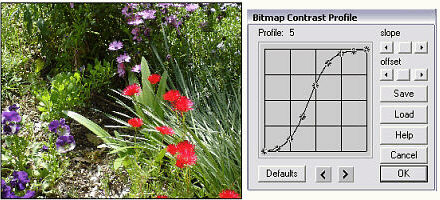
Bitmaps may be imported and manipulated on the drawing sheet and vectorgraphs can be created..

XLPlot is amply documented and help is provided in several ways: by key word search, by context and by menu item. The doc file includes a comprehensive step by step tutorial. Under Windows 10, the tutorial can be found by clicking "All applications" in the start menu. Then look for the XLPlot folder, which contains XLHelp.doc.